SinShield Editorial · · updated · 11 min read
How to Block Adult Content on X (Twitter)
Hide adult content on X with sensitive-media and search settings, muted words, account controls, disabled autoplay, and an optional Android blocker.

Adult content can appear on X for a more direct reason than on many social platforms: X's Adult Content Policy permits consensually produced adult nudity and sexual behavior when it is properly labeled and kept out of highly visible areas such as profile photos and headers. X is therefore trying to place permitted adult media behind a warning, not remove every adult post from the service.
The For You timeline is one way that material can reach someone who never followed its author. X says this timeline combines accounts and topics you follow with personalized recommendations, and that it may add posts from outside your network based on signals such as popularity and how people in your network interact with them. Reposts can extend that path further because a followed account can place somebody else's post into your timeline.
A correctly labeled post should appear behind a warning, but labels do not govern every route. A post may be unmarked, suggestive rather than covered by X's adult-content definition, or encountered through Search, replies, a profile visit, a Direct Message, or a link to another site. Those surfaces use different controls, so changing what appears in the timeline does not automatically change what appears everywhere else.
How to hide sensitive media in the X app
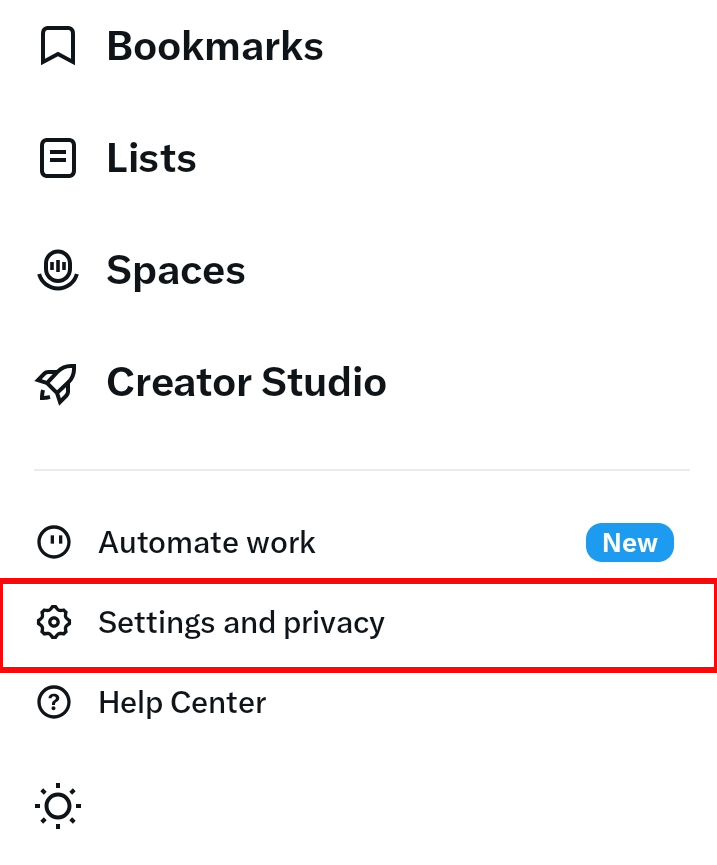
1. Open Settings and privacy
Tap your profile picture to open X's side menu, then choose Settings and privacy.
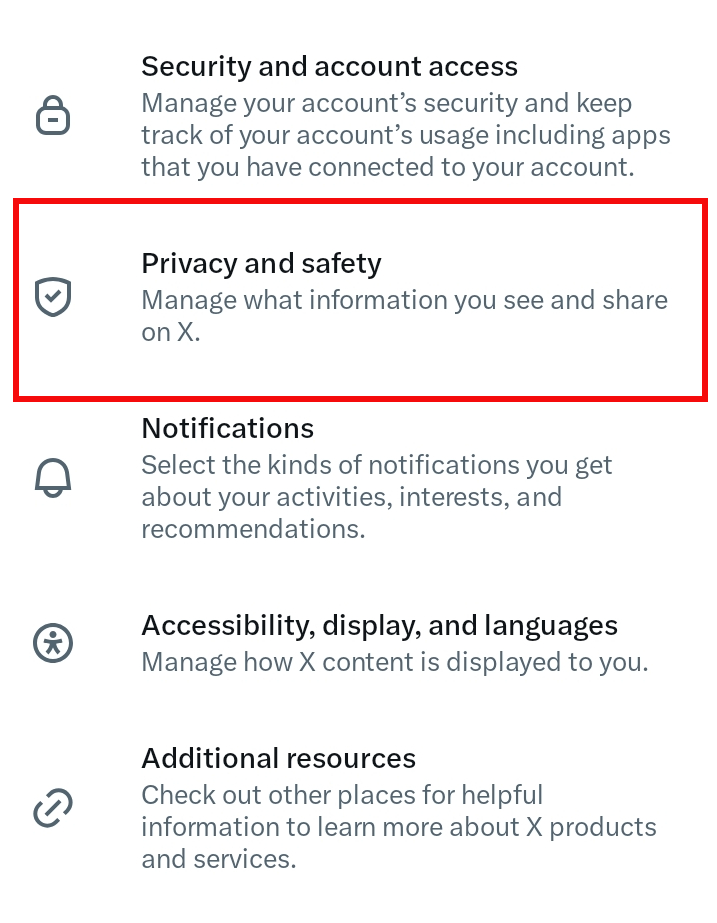
On the Settings screen, choose Privacy and safety.
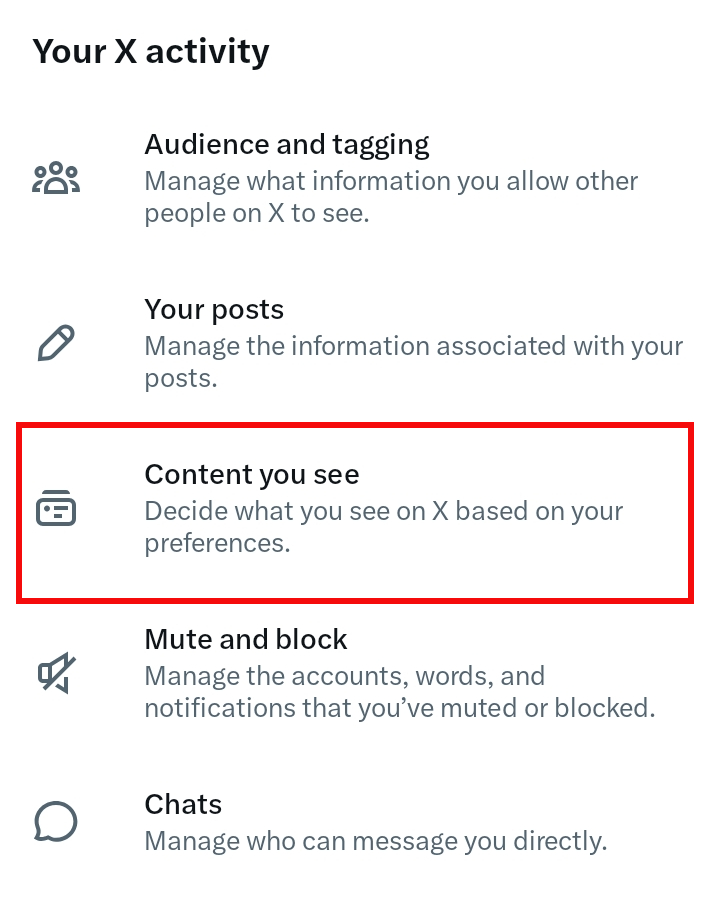
2. Open Content you see
Under Your X activity, choose Content you see. This area controls the media and topics X uses in the feed.
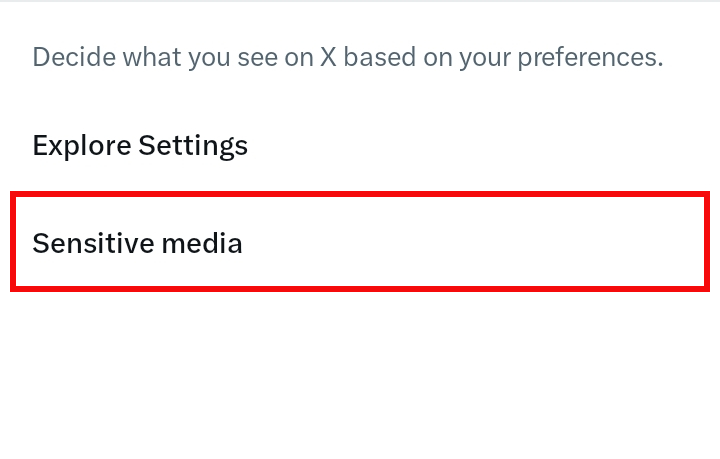
Then open Sensitive media. Depending on the app version and region, X may place the sensitive-media checkbox directly on this screen instead.
3. Leave Display sensitive media unchecked
Make sure Display media that may contain sensitive content is unchecked. Turning it on tells X that labeled sensitive media may be shown without the extra barrier.
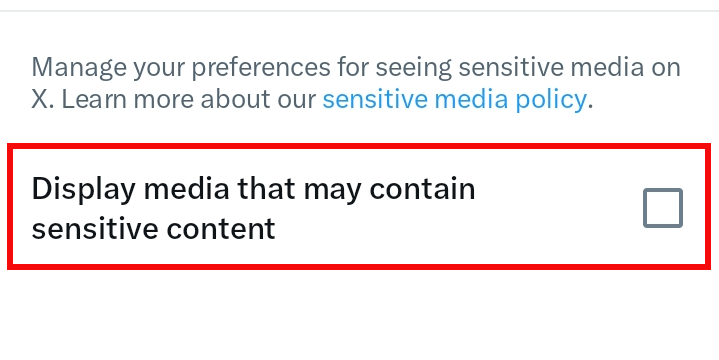
If you cannot find the option in the app, sign in at x.com in a browser and follow More → Settings and privacy → Privacy and safety → Content you see. X sometimes exposes sensitive-content controls differently across platforms and regions.
Keep sensitive content out of X search
X search has a separate filter. On x.com, open Settings and privacy → Privacy and safety → Content you see → Search settings, then keep Hide sensitive content checked.
X says its safe-search filters exclude potentially sensitive content and accounts you have muted or blocked. The company also says search settings changed on x.com apply to searches in the Android and iOS apps.
Checking both settings matters. The feed setting adds friction around labeled media, while the search setting removes sensitive results from a place where a passing urge can become an intentional search.
Remove unwanted recommendations and repeat sources
When an unwanted post appears, open the three-dot menu. Choose Not interested in this post or Show fewer posts like this when available. If the same account keeps appearing, mute, unfollow, or block it.
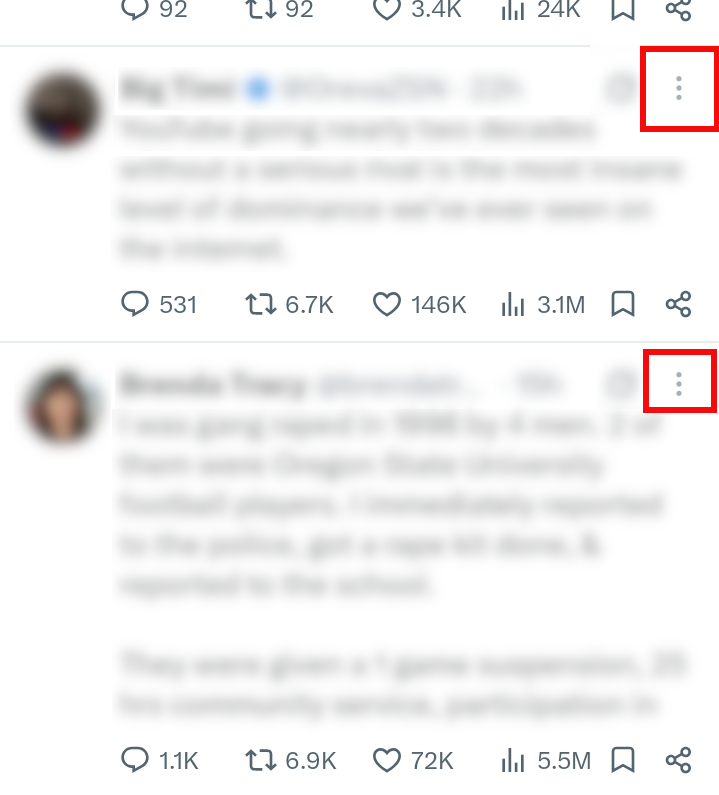
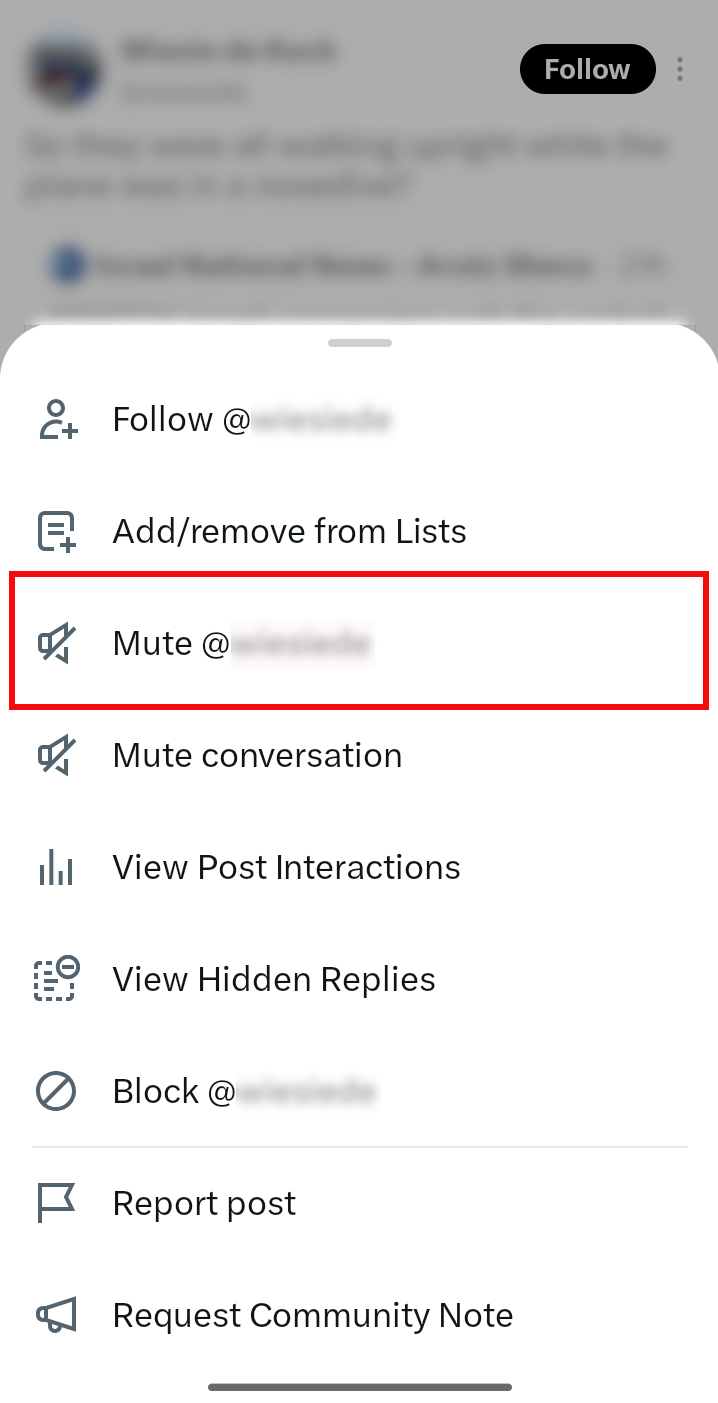
X's post menu offers Mute, Block, and Report post. Choose Mute when you want that account's posts removed from your timeline without unfollowing or blocking it; X documents that behavior in its account-muting guide.
Try not to open the account, read the replies, or revisit the post to see whether the feed changed. A quick negative action followed by leaving the post sends a clearer signal than lingering on it.
Use the stronger account action when necessary:
- Unfollow an account you chose earlier but no longer want in the Following feed.
- Mute an account when you do not want its posts but do not need to block it.
- Block an account when you want to stop its direct access to you and remove its posts from your experience.
- Report media that is unmarked, unwanted in a Direct Message, or appears to violate X's rules.
Mute words connected to the pattern
Go to Settings and privacy → Privacy and safety → Mute and block → Muted words. X lets you mute a word, phrase, username, emoji, or hashtag from the Home timeline and notifications for a chosen duration.
Add terms you already know you want to avoid; do not search for new explicit keywords merely to build a longer list. X's muted-word guide notes that muted terms can still appear in search, so this tool quiets the timeline but does not replace safe search.
Muting can also miss posts that are purely visual or use unfamiliar language. Mute the source account as well when the same profile is responsible for the pattern.
Remove old likes, reposts, and bookmarks
Built-in filters affect what X shows next, but they do not remove posts you previously made easy to revisit. Cleaning up likes, reposts, and bookmarks closes those direct return paths; it is useful account hygiene, not a promise that X will immediately rebuild every recommendation.
Undo likes and reposts from your profile
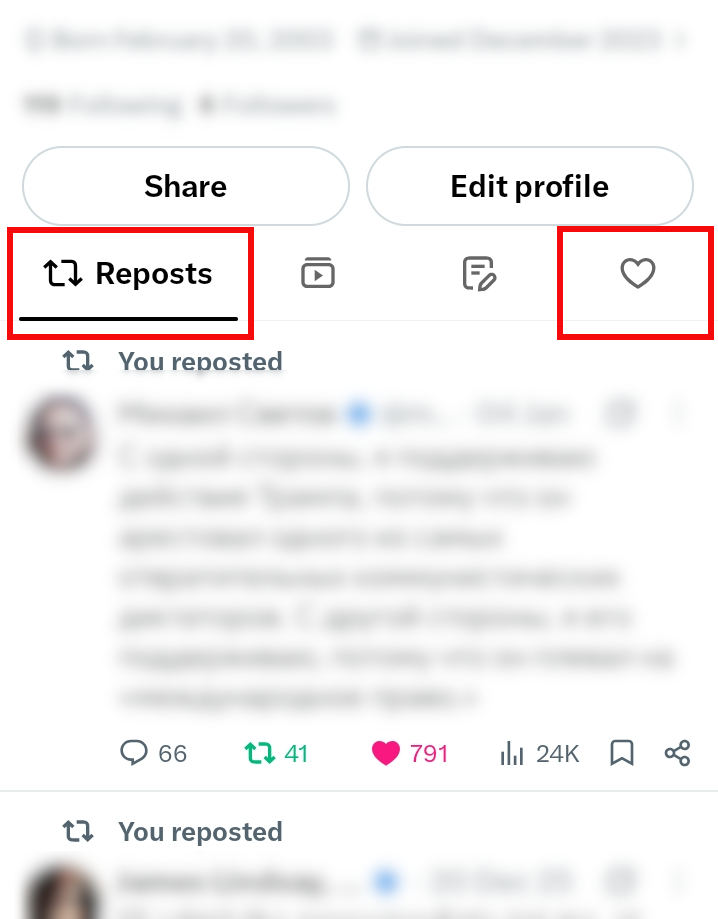
Open the side menu and choose Profile.
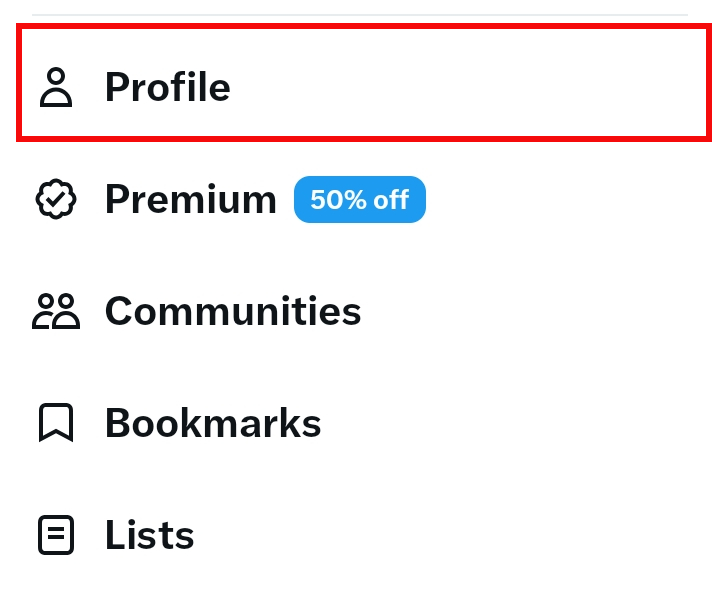
Use the Likes tab to find a liked post, then tap its highlighted heart to undo the like. Use the Reposts tab to find a repost, tap the highlighted repost icon, and choose Undo Repost; X's repost guide says this removes the repost from your profile timeline but does not delete the original post.
Remove saved bookmarks
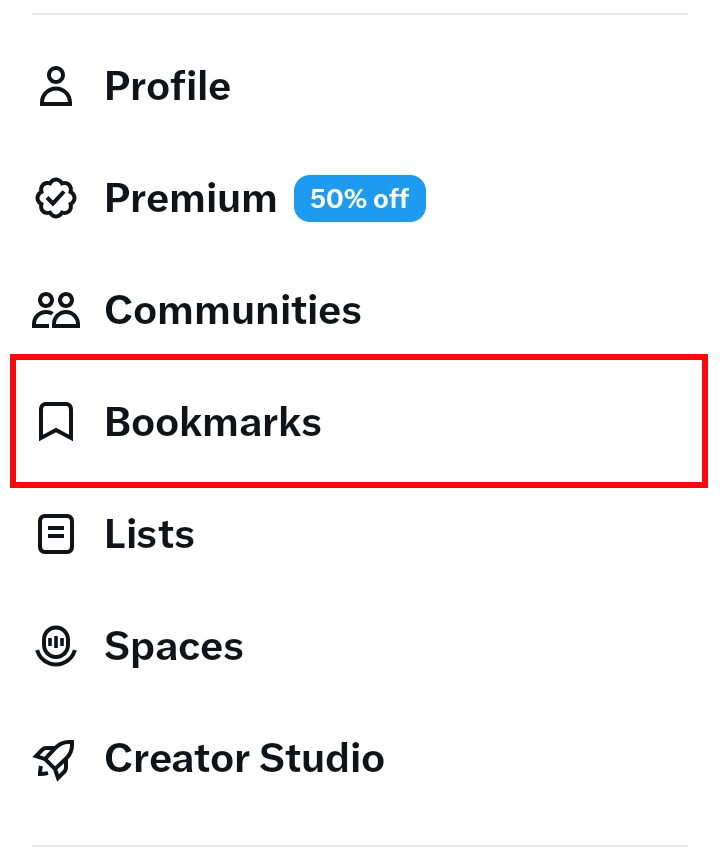
Open the side menu and choose Bookmarks.
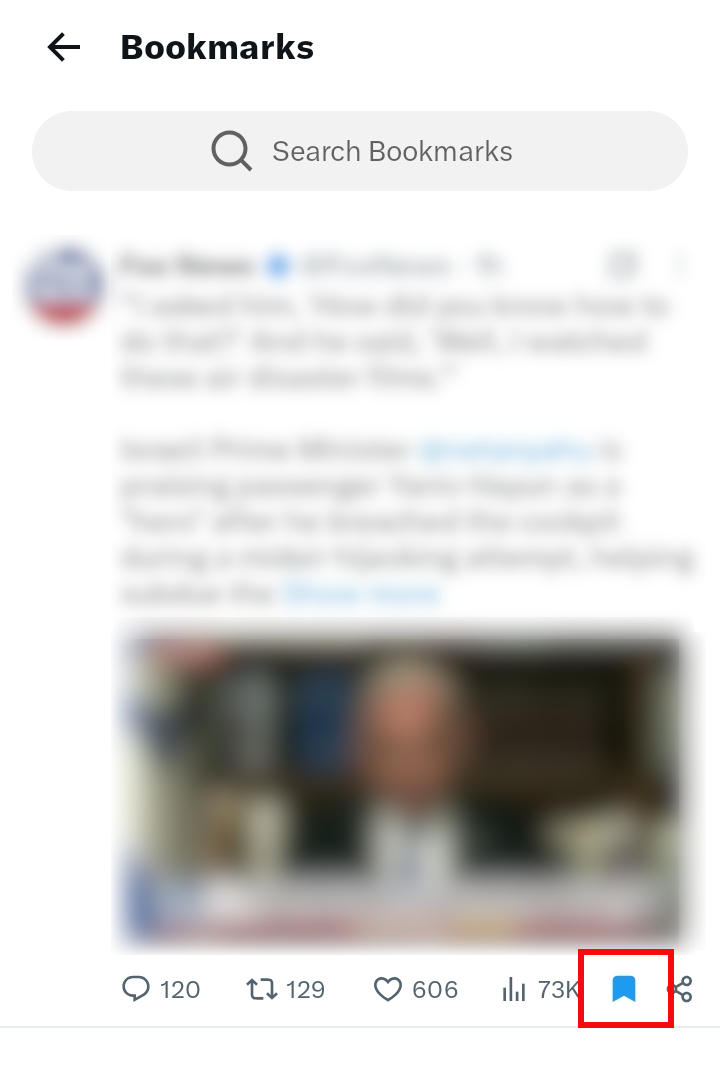
Open a saved post and tap the filled bookmark icon to remove it. X confirms that bookmarks are private and removable; deleting one removes your shortcut to the post, not the post itself.
Turn off video autoplay
Open Settings and privacy → Accessibility, display, and languages → Data usage → Video autoplay, then select Never. X documents these controls in its video settings guide.
Autoplay is not an adult-content classifier, but stopping a video before it begins gives you a moment to scroll away. X stores the preference separately in the app and on x.com, so check both places if you use both.
Add SinShield as an extra Android layer
X's settings rely on labels, recommendation feedback, and words you define. SinShield for Android adds another kind of barrier by privately analyzing what is visible on the screen and covering imagery it classifies as explicit or suggestive. This can help when an unmarked post, profile, reply, or preview slips through X's controls.
SinShield is available for Android, not iPhone. Screen classification happens on the phone, without uploading images or sending activity reports to another person. Its optional local DNS filter can also block known adult domains when a link tries to leave X.
Automated detection is not perfect. SinShield can miss content or cover something harmless, its Android permissions can be revoked, and its VPN-based DNS filter occupies the device's VPN slot. It is a private extra layer, not a tamper-proof parental-control product or a guarantee that X will become completely free of adult content.
Should parents rely on X's age restriction?
No single age gate should carry the whole job. X restricts marked adult content for users under 18 and may use age assurance in some regions, but those protections still depend on the account's age and on media being labeled or detected correctly.
For a younger user, use an honestly dated account, leave sensitive media and search filters enabled, restrict who can send messages, review follows and recommendations together, and add device-level family controls. Make it safe to mention an unwanted post; secrecy makes accidental exposure harder to address.
What to do when explicit content appears unexpectedly
An unwanted recommendation is not a decision you made. Close the media, mark the post as unwanted, mute or block the source, and step away from X for a few minutes if the surprise is turning into an urge.
Report unmarked adult media through the post menu. Report content involving non-consensual intimate imagery, exploitation, minors, violent sexual conduct, or unwanted sexual media immediately; those are rule-enforcement issues, not merely preference settings.
Frequently asked questions
Can I turn off adult content on X completely?
You can reduce it substantially, but X does not offer a single porn-off switch. Its filters depend on correct labels and automated detection, so combine the feed setting, safe search, muted terms, account controls, disabled autoplay, and optional device-level protection.
Why do I still see adult content with sensitive media turned off?
The post may be unmarked, may not meet X's adult-content definition, or may appear in a surface controlled by a different setting. Keep Hide sensitive content enabled for search and remove repeat sources from your recommendations and follows.
Does muting words block adult content in X search?
No. X says muted words apply to the Home timeline and notifications but can still appear in search. Safe search is a separate control.
Does X allow porn?
Yes. X permits consensually produced adult nudity and sexual behavior when it is properly labeled and kept out of designated high-visibility areas. Prohibited and non-consensual sexual content remains against its rules.
Can SinShield block adult content inside X?
On Android, SinShield can cover explicit or suggestive imagery visible on screen inside X and other supported apps. It does not modify your X account, read the account as a service, or send a report of your activity to someone else.
How do I reduce adult content on Instagram too?
Instagram has a different recommendation control. Follow the separate guide to blocking adult content on Instagram to choose Less, clean up recommendations, and tighten contact settings.
Where to start
First, confirm that Display media that may contain sensitive content is unchecked. Then visit x.com and verify that Hide sensitive content is enabled in Search settings. Those two controls close the most direct routes to labeled adult media.
Next, mute repeat sources and turn off autoplay. If unmarked imagery still gets through and you use Android, add SinShield as a private on-device layer. The useful goal is not a claim of perfect blocking; it is a feed with fewer surprises and more time to choose what happens next.